A useful YouTube description begins with a unique explanation of the video, then gives viewers the chapters, resources, disclosures, and next step they actually need. A template should preserve that order while removing repetitive setup work. It should not turn every upload into the same block of keywords and links.
YouTube recommends using the first lines to describe the video, creating a unique description for each upload, and keeping reusable channel information in default text. The structure below follows that principle and separates video-specific copy from stable channel modules.
Start with the part viewers see before expanding
The first lines should answer three questions: what does this video help with, who is it for, and what concrete outcome can the viewer expect? Write those lines for the individual upload. Do not begin with a wall of social links, a generic channel biography, or a repeated keyword list that delays the answer.
Use the main topic in natural language because it helps viewers and systems identify the subject. One or two focused phrases are enough. If the title promises a comparison, the description can name the options and evaluation criteria. If the video is a tutorial, state the starting point, result, and any important limitation.
Use this modular description order
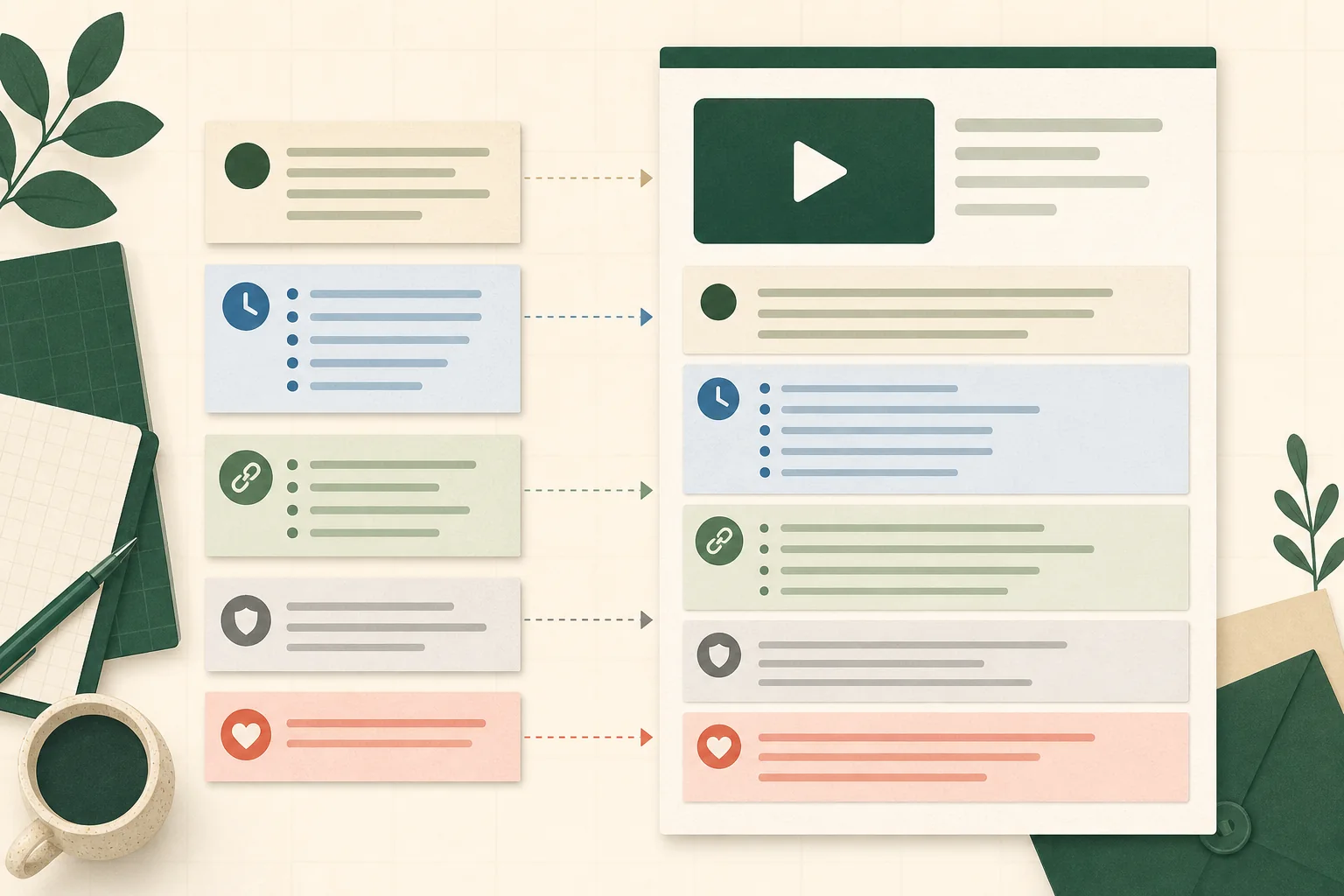
Treat the description as a stack of modules. The opening summary is always unique. The remaining modules appear only when they serve the video. This keeps the page scannable and makes omissions obvious during review.
- Unique summary: two or three sentences describing the video and intended viewer.
- Primary next step: one relevant video, tool, download, product, or signup.
- Chapters: timestamped sections for longer structured videos.
- Resources and citations: items actually mentioned or used.
- Disclosure: sponsorship, affiliate, correction, or other required context.
- Channel footer: compact reusable information and selected profile links.
Add chapters that describe decisions, not generic sections
Manual YouTube chapters begin at 00:00, require at least three timestamps in ascending order, and require chapters of at least ten seconds. Those are technical requirements. The writing requirement is equally important: labels should help a viewer choose a destination. 'Why bitrate changes file size' is more useful than 'Part two.'
Keep chapter names parallel and concise. Review timestamps against the final uploaded master, not an earlier edit, because an inserted intro can shift every cue. If the video includes a correction, follow YouTube's current correction format and placement guidance rather than inventing an ambiguous note.
Make links deliberate, safe, and measurable
Long-form video descriptions can contain clickable external links when the channel has access to the required advanced features. URLs in ordinary Shorts descriptions and comments are not generally clickable, so a long-form template should not be copied into Shorts without reviewing the path you expect viewers to take. YouTube also prohibits links to content that violates its external-links policy.
Use one primary link near the top when the action matters, then organize secondary resources below. Add UTM parameters when you control the destination and need campaign reporting. Keep source, medium, and campaign values consistent, preserve existing destination parameters, and document the final URL. Open the link in a private window before publishing to catch redirects, access problems, and malformed query strings.
Separate reusable defaults from video-specific copy
Upload defaults are useful for stable channel information such as a concise identity line, business contact route, and policy-safe profile links. They are a poor place for a generic paragraph that claims every video covers the same keywords. Placeholders can also escape into public descriptions when a rushed upload skips review.
Create a pre-publish check that flags empty brackets, duplicate links, missing disclosures, outdated offers, invalid chapters, and claims not supported by the video. Review the mobile preview and the collapsed state. A template earns its keep when it reduces errors while leaving the unique opening easy to write.
A copy-ready structure
Use this order as a writing prompt: '[Outcome] for [audience]. In this video, you will learn [specific points] and understand [important limitation].' Then add 'Next step,' 'Chapters,' 'Resources,' 'Disclosure,' and 'About this channel' sections only when they contain useful information. Replace every bracketed instruction and delete unused modules before publishing.
The description should support the video rather than compensate for an unclear one. If the opening needs several paragraphs to explain what the viewer will see, revisit the title, introduction, or edit. Clear packaging should agree across the title, thumbnail, opening, and description.
Frequently asked questions
What should I put in a YouTube video description?
Include a unique summary, one relevant next step, chapters when useful, referenced resources, required disclosures, and a compact reusable channel footer.
How long can a YouTube description be?
YouTube currently allows up to 5,000 characters, but the maximum is not a writing target. Put the most useful unique information first and keep repeated channel material concise.
Are links clickable in YouTube descriptions?
External links in long-form descriptions can be clickable when the channel has advanced-feature access. Ordinary URLs in Shorts descriptions and comments are generally non-clickable, so choose a Shorts-specific path.
Do YouTube descriptions help search?
Descriptions provide topic context and help viewers understand the video. Use focused terms naturally in a unique summary; do not treat the field as a place to repeat keywords.
Sources
- YouTube Help: Tips for video descriptions
Recommends unique descriptions, useful opening lines, focused topic terms, and reusable default channel information.
- YouTube Help: Sharing links with your audiences
Documents which link placements are clickable, including differences between long-form videos and Shorts.
- YouTube Help: Video chapters
Documents manual chapter requirements, including a 00:00 starting timestamp, ascending order, and minimum section duration.
- Google Analytics Help: URL builders: collect campaign data with custom URLs
Documents campaign URL parameters including utm_source, utm_medium, and utm_campaign.